

Credits and plans
Everything in Zylyn is metered in credits. This page tells you exactly what things cost.
What each action costs#
| Action | Credits |
|---|---|
| Welcome bonus on signup | +100 (one time) |
| Add a site (includes page discovery) | 10 |
| Look for new pages on a site | 2 |
| Scan one page | 1 |
| Scan all pages | 1 per page |
| Scheduled re-scan | ~1 per page, per run |
| New scan (any URL) | 1 |
| Re-audit a page | 1 |
| AI fix suggestions | 2 per finding (cached findings free) |
| PDF document check | 2 per page of the document |
| Export PDF | 1 |
| Export CSV | 1 |
| Download all issues (one CSV for the site) | 1 per page with something to export |
| Publish a conformance report version (the draft, its refreshes, the draft PDF and re-downloads are free) | 10 per version |
| Email a report | 1 |
| Log defect | Free |
| Request remediation help | Free |
Two things in your favour:
- Failed scans are refunded automatically. In credit history the scan shows as one entry, marked Refunded. You don't need to ask.
- Scans pause when credits run out rather than failing silently or overbilling you.
Credit history#
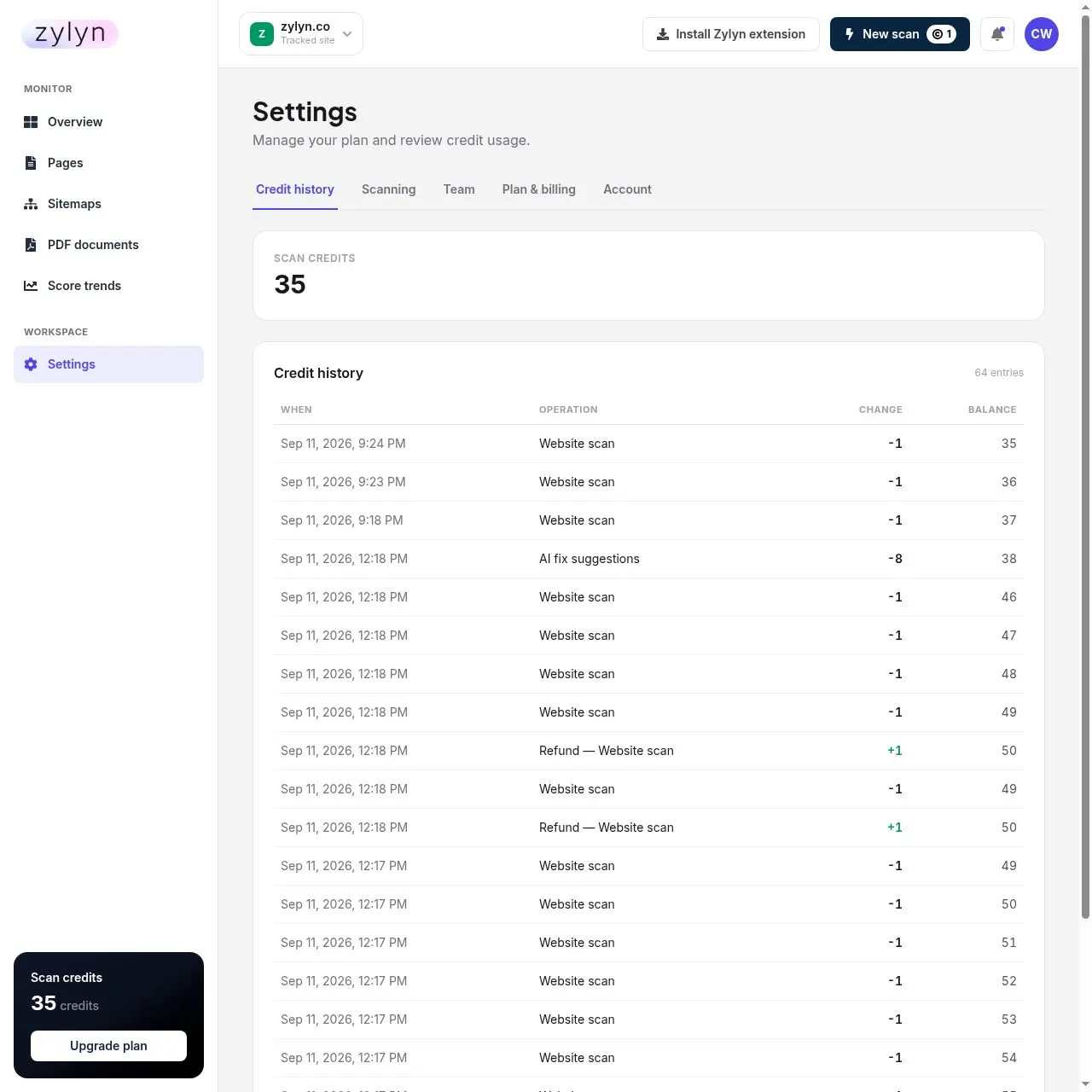
Settings → Credit history shows every credit in and out, newest first, under day headings: what happened, who did it, the change and the balance after it. A scheduled run or a Scan all is one entry (open it for its pages), a scan that didn't finish is one entry with its refund, and a renewal shows the credits it added and the unused ones that expired. Above it, this month's credits used, refunded and added. Filter to charges, refunds or credits added; an agency can show one client's activity. The balance in the sidebar opens it. If a number looks wrong, this is where you check.
Plans#
Individual#
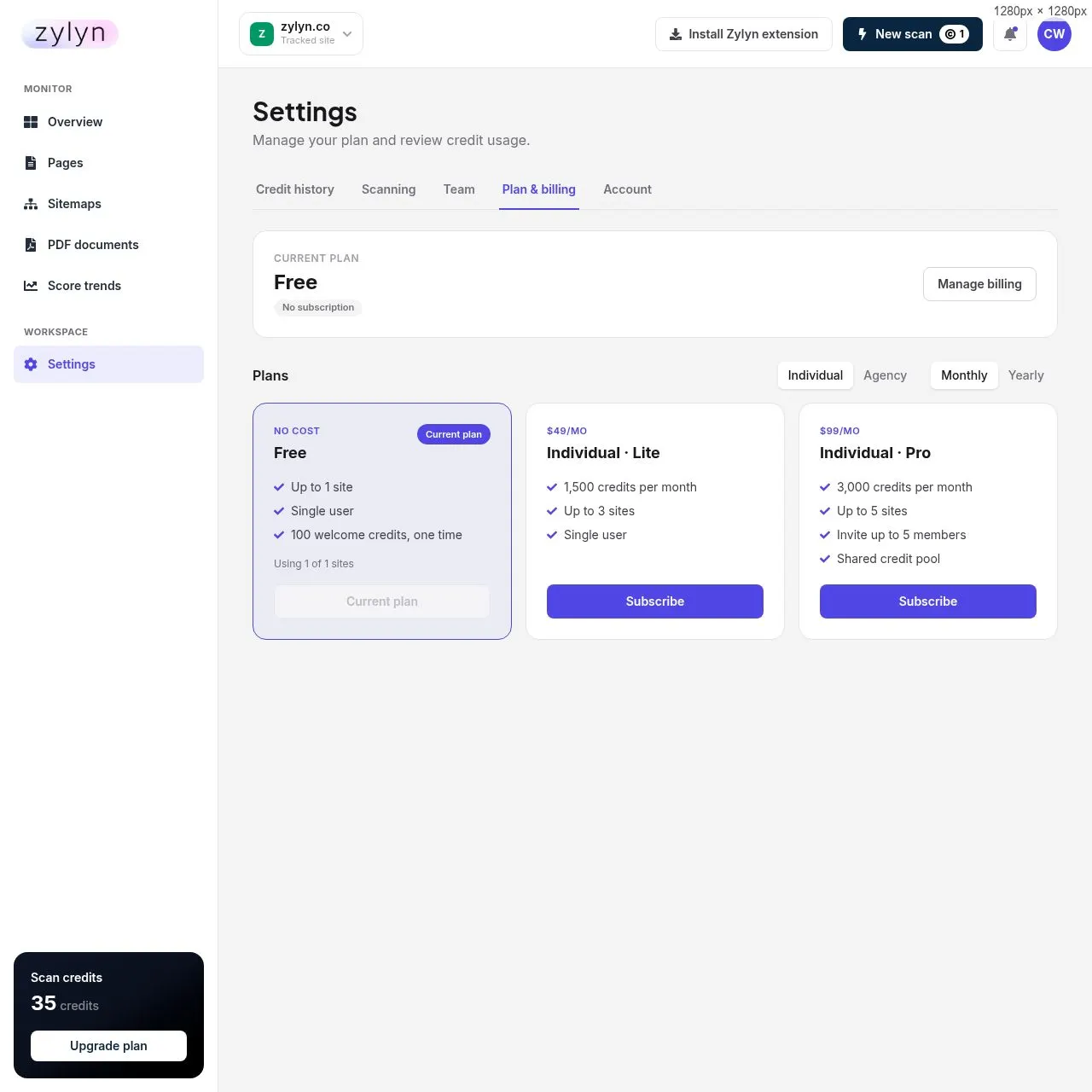
| Plan | Monthly | Yearly | Credits/mo | Sites | Members |
|---|---|---|---|---|---|
| Free | $0 | $0 | 100 one-time | 1 | 1 |
| Lite | $49 | $490 | 1,500 | 3 | 1 |
| Pro | $99 | $990 | 3,000 | 5 | 5 (shared pool) |
Agency#
All Agency plans include white-label branding and client accounts.
| Plan | Monthly | Yearly | Credits/mo | Sites | Members |
|---|---|---|---|---|---|
| Lite | $199 | $1,990 | 15,000 | 10 | 15 |
| Pro | $299 | $2,990 | 25,000 | 20 | 25 |
| Max | $599 | $5,990 | 60,000 | 40 | 50 |
Yearly billing is 10× the monthly price across every tier — two months free, about 17% off.
Larger estates: Starter, Professional and Enterprise#
The plans above are the self-serve tiers you can subscribe to from the billing screen. For multi-property estates, governed programmes and regulated organisations, Zylyn also sells three engagement tiers — Starter, Professional and Enterprise — which add expert manual audits, expert-reviewed conformance reports, governance thresholds, role-based access and a named accessibility lead. Enterprise is priced per estate.
See enterprise and governance features. If your requirements include role-based permissions, policy thresholds or formal conformance documentation, that is the route — those are not switches on a self-serve plan.
Which plan do I need?#
Work it out from pages × scan frequency, not from the number of sites.
| Your situation | Credits/month | Plan |
|---|---|---|
| One 50-page site, weekly | ~215 | Lite ($49) |
| One 500-page site, weekly | ~2,150 | Pro ($99) |
| One 500-page site, daily | ~15,000 | Agency Lite ($199) |
| 700-page store, weekly | ~3,010 | Agency Lite — just over Pro's cap |
| 5,000-page site, weekly | ~21,500 | Agency Pro ($299) |
| 5,000-page site, daily | ~150,000 | Exceeds Agency Max — talk to Zylyn |
Two traps to avoid:
Daily scanning is expensive. It's offered at every tier, but on anything above ~2,000 pages it will exhaust even Agency Max. Weekly is the sensible default.
Site count can bite before credits do. If you manage twelve small client sites, you need Agency Lite for the site limit, even though twelve small sites use few credits.
Free plan limits worth knowing#
- One site, and no way to remove it once added. Choose your first site deliberately.
- Scanning a page on a second domain isn't blocked. It costs one credit and appears under Ad-hoc scans; tracking that domain as a site is what needs a second site.
- 100 credits is enough to add one site and scan ~90 pages — enough to baseline a small site, not a large one.
Managing your subscription#
Settings → Plan and billing. Subscribe from a plan's card (secure checkout with Stripe). Once subscribed, switch plans from the cards and cancel from your current plan; both are confirmed in Stripe. Manage billing opens Stripe's billing portal for your card and invoices.