Good websites don't leave people out. Yours shouldn't either.
Not sure if everyone can use your website? Let's find out. Zylyn helps you spot accessibility issues, fix what matters, and stay on top of accessibility standards.
We'll check public pages only. Nothing on your site changes during the free check.

Every issue we find ties back to the standards that matter
So, what does an accessible website actually look like?
Watch how Zylyn helps you find accessibility issues, understand what matters, and take action.
Make accessibility great again
Good accessibility doesn't stop at “fixed.”
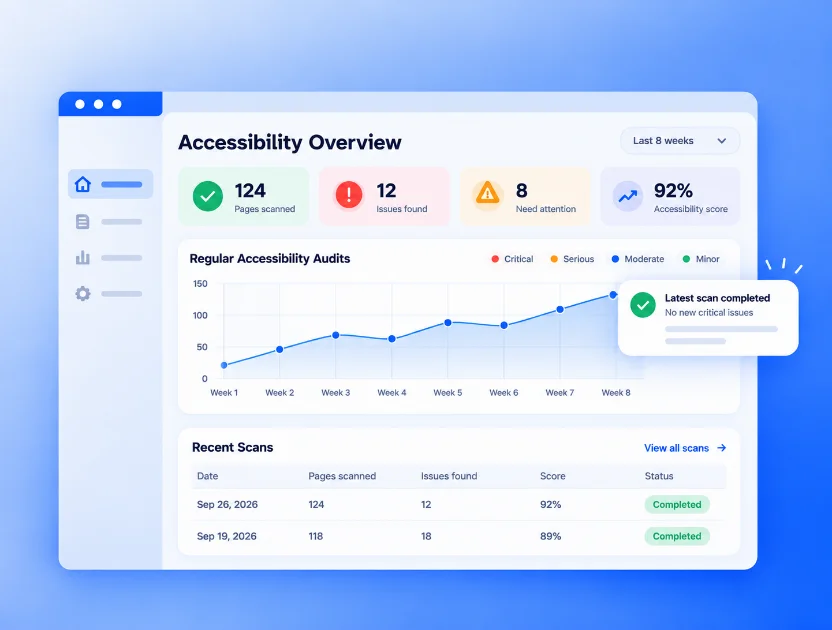
Your website keeps changing. New pages. New content. New code. So accessibility needs to keep up too.
Zylyn gives your team a simple way to track issues, see progress, stay accountable and know where you stand.
Accessibility governance
Okay, how do I keep accessibility good over time?
Fixing things once is a start. Keeping them fixed is the real work. Here's how Zylyn helps you stay on top of it.
Continuous accessibility monitoring
Keep an eye on things.
Your site changes every week. We keep checking, so new issues get spotted before your visitors find them.
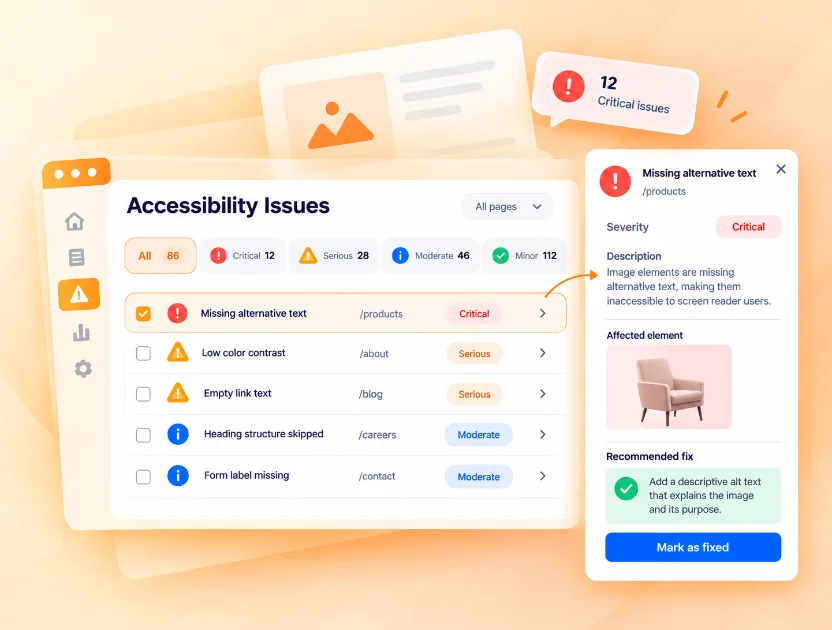
Accessibility issue management
Know what needs attention.
Every issue in one place, ranked by how much it gets in people's way. You'll always know what to fix first.
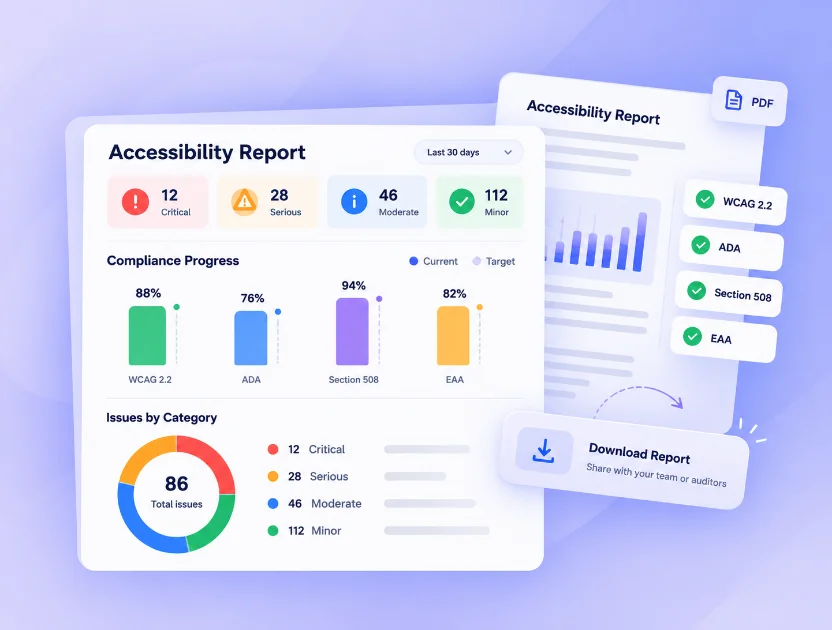
Accessibility reporting & compliance
Know where you stand.
Clear reports show your progress against WCAG, ADA and the EAA — easy to share, easy to understand.
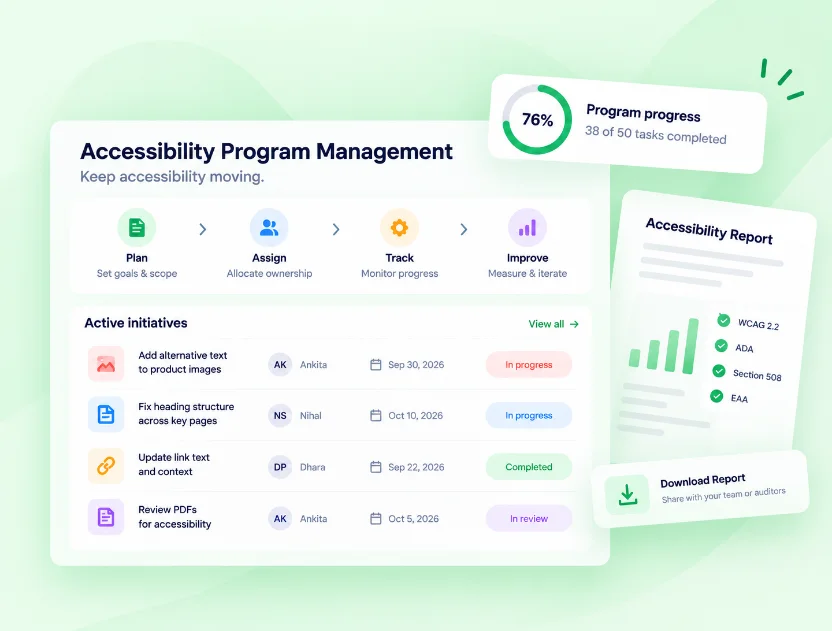
Accessibility program management
Keep accessibility moving.
Give your team owners, deadlines and a shared view. Nothing slips through because no one knew it was theirs.
What we do
One website or a whole digital empire?
Scan. Test. Fix. Monitor. Get expert help when you need it.
- Automated accessibility scansQuick checks across every page, on a schedule you set.Learn more
- Manual accessibility testingReal people, screen readers and keyboards — for what scans miss.Learn more
- WCAG auditsA full, plain-language review against WCAG 2.2.Learn more
- Fixing what we findOur team helps you fix the issues — or does it for you.Learn more
- Ongoing monitoringKnow the moment something new gets in the way.Learn more
- VPAT and ACR reportsThe documents procurement teams ask for, done right.Learn more
- Accessible PDFs and documentsMake the files you share usable for everyone.Learn more
- Training and expert helpBring in a human hand when your team needs one.Learn more
What teams say
For teams that take accessibility seriously
“We used to find out about accessibility problems from customers. Now we find them first. Zylyn tells us what's getting in the way and exactly what to change — the whole team gets it.”
Priya RamanHead of Product, retail e-commerce “Compliance used to feel like a scramble before every audit. With Zylyn it's just part of how we ship. We always know where we stand, and legal stopped asking.”
Marcus OyelaranEngineering Manager, fintech
Why teams switch
Why use Zylyn instead of what you're doing today?
Fair question. Here's the short version.
Tired of noisy scan reports?
See what actually matters.
Already working with an accessibility team?
Give them better visibility and tracking.
Using multiple tools?
Bring accessibility work together.
Need experts, not just software?
Bring in Zylyn when you need a human hand.
Coming soon
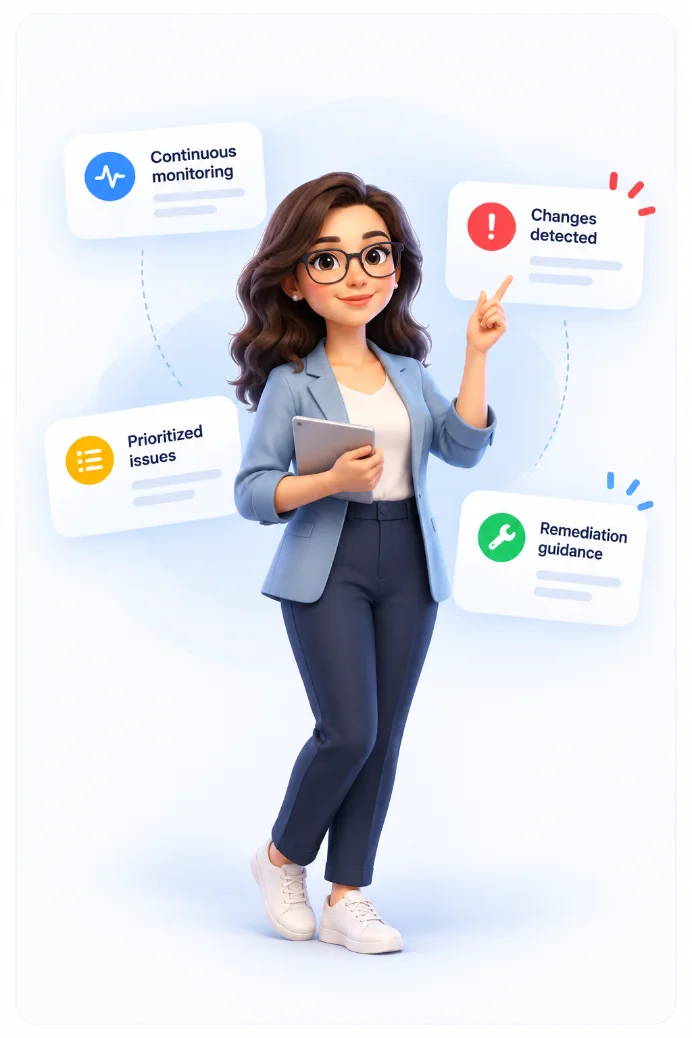
AI-powered accessibility that keeps up with your website.
Coming soon, Zylyn's accessibility agents will help your team spot what's changing, understand what matters, and know what to do next.
Your agents will:
- Keep watch — continuously monitor your website and digital content.
- Spot changes — detect new or changed accessibility issues as your content evolves.
- Prioritize what matters — help your team focus on issues based on impact.
- Explain the issue — turn complex WCAG findings into plain English.
- Suggest what to do next — provide practical remediation guidance.
- Fit into your workflow — bring accessibility into the tools and processes your team already uses.
FAQ
Questions people ask us
What is website accessibility testing?
It's checking whether everyone can use your site — including people who use a screen reader, a keyboard, zoom or high contrast. Zylyn checks your pages against WCAG and tells you what isn't working, who it affects and how to fix it.
Is the free accessibility audit really free?
Yep. Pop in a link and you'll get a full report for that page. No install, no credit card. Paid plans add scheduled scans, more sites and team reports.
Which standards does Zylyn check against?
Every issue ties back to WCAG 2.2, level A or AA. That's the same standard behind ADA claims in the US, Section 508, and EN 301 549 under the European Accessibility Act.
Can an automated scan make my site fully compliant?
Honestly? No tool can find everything on its own. Zylyn catches what machines can check reliably, and tells you which checks need a person — like whether your alt text actually describes the image.
How does the Zylyn Widget work?
It gives visitors helpful controls, like bigger text and paused animations, while your team fixes the code underneath. It's there to help — not to replace real fixes.
How often should I scan my site?
After any release that changes your templates or content, and at least once a month. Scheduled scans handle it for you, so you always know where you stand.