
Last updated: November 2026
You ask your coding agent to build a checkout form. It writes the component, runs an accessibility check, fixes two missing labels, and reports “WCAG 2.2 AA: no violations found.” You merge it. Two weeks later, a screen reader user can’t finish an order because the error messages never get announced.
That gap is the story of AI accessibility testing right now. The tooling has moved into the editor, and that’s real progress. But “no violations found” and “accessible” are not the same claim, and the difference lands on your users and your legal risk.
This guide shows you what changed, which WCAG checks a coding agent can reliably handle, which ones still need a human, and a short manual routine you can run before every release.
Key takeaways
- AI coding agents can now run WCAG checks through MCP servers and accessibility trees, which catches many code-level errors before they ship.
- Those checks still can’t judge meaning, context, or real assistive tech behavior, so criteria like focus order, error handling, and alt text quality need a human.
- The winning workflow is layered: agent checks on every edit, a 20-minute manual pass on every feature, and a full audit on a schedule.
Table of contents
- What changed this month for AI coding agents?
- How do accessibility checks work inside a coding agent?
- What percentage of issues can AI accessibility testing find?
- Which WCAG criteria still need a human?
- Can AI replace manual accessibility testing?
- The 20-minute manual pass every developer can run
- How to build a workflow that covers both
- Common mistakes to avoid
- Frequently asked questions
- Conclusion
What changed this month for AI coding agents?
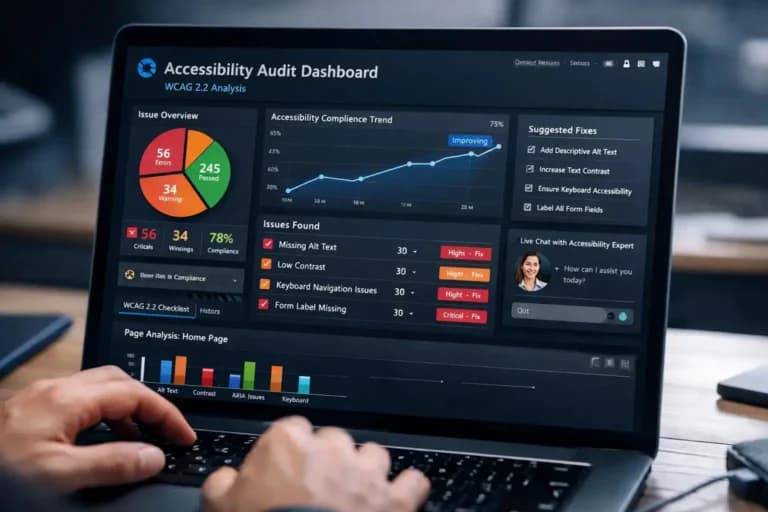
Quick answer: AI accessibility testing now happens inside coding agents. Through MCP servers and machine-readable accessibility trees, tools like Claude, GitHub Copilot, and Cursor can scan the UI they just built, flag WCAG violations, and propose code fixes before a human reviews the pull request.
Two releases in early November show where this is heading. Vercel Labs’ agent-desktop reached a stable v1.2.0, giving agents a JSON version of the accessibility tree so they can target elements by role and name instead of guessing from pixels. Separately, a community package called Accessibility Agents ships an MCP server that runs WCAG 2.2 AA checks and acts as an “edit gate” before a coding agent’s changes go through (AI Agent Store weekly digest, Nov 2026).
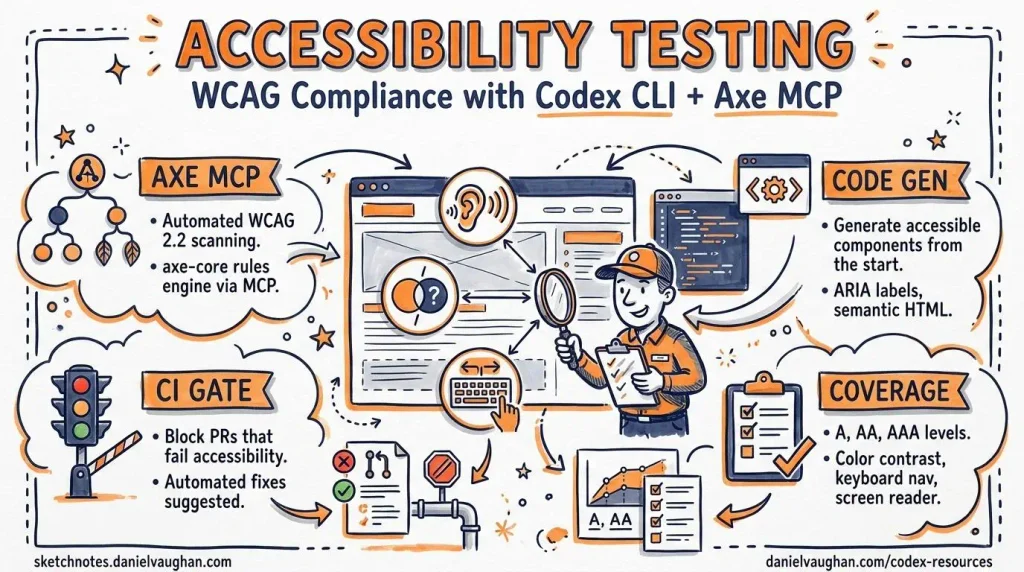
Commercial vendors got there too. Deque’s Axe MCP Server gives coding agents an “analyze” tool for scanning pages with axe and a “remediate” tool for code-level fix guidance. It names Claude, GitHub Copilot, and Cursor as supported clients.
Here’s the thing. This is the first time accessibility checks sit in the same loop where code gets written, not three sprints later in QA. That matters, because AI-generated code is part of why web accessibility got worse in 2026 after years of slow improvement.
How do accessibility checks work inside a coding agent?
Most setups follow the same pattern. The agent writes or edits a component, renders it in a browser, and calls an accessibility MCP server. The server runs a rules engine (often axe-core) against the rendered page and returns violations with the element, the rule, and the WCAG criterion. The agent reads that output and edits the code to fix it.
The accessibility tree is the key input. It’s the same structure screen readers use: every element’s role, name, state, and relationships. When a button has no accessible name, the tree shows it, and the agent can add one.
That design gives agents real strengths:
- Speed: checks run on every edit, not once per release
- Precision on syntax: missing labels, invalid ARIA, empty links, duplicate IDs, and missing lang attributes are caught reliably
- Contrast math: color ratios are calculated, not eyeballed
- Fix suggestions in context: the agent knows the file and the framework, so its fixes usually fit your code
The limit is built into the same design. A rules engine checks whether something exists and is well formed. It can’t tell whether it makes sense to a person. An alt attribute that says “image123.png” passes the existence test. So does a form error that appears visually but never reaches a screen reader.
What percentage of issues can AI accessibility testing find?
You’ll see numbers from 20% to 57% quoted everywhere, and they measure different things.
The most cited figure comes from Deque. Its 2021 study of more than 2,000 audits, 13,000+ pages, and nearly 300,000 issues found that automated axe testing fully covered 57% of issues by volume (Deque). The lower 20 to 30% figures usually count success criteria instead. Both can be true. A few very common errors (contrast, missing labels) make up a big share of the issue count, while many criteria can’t be fully tested by machines at all.
Most people miss this. Volume coverage tells you how much noise a scanner removes. Criteria coverage tells you how much of the standard you’ve actually verified. For legal and user risk, the second number is the one that matters, because a single unannounced error message can block a whole checkout. Our post on who catches the other 70% goes deeper on this.
AI adds some coverage on top of rules. Language models can flag alt text that looks like a filename or link text like “click here.” But they’re judging likelihood, not confirming behavior, so treat those flags as leads for review, not verdicts.
Which WCAG criteria still need a human?
This is the section most guides skip. Below is a practical map of common WCAG 2.2 criteria, what a coding agent can check today, and what a person still has to verify. WCAG 2.2 also added nine new success criteria, several of which are mostly manual.
| WCAG criterion | What the agent can check | What a human must verify |
|---|---|---|
| 1.1.1 Non-text Content | Alt attribute exists; flags filename-style alt | Alt text conveys the image’s purpose; decorative images are marked correctly |
| 1.3.1 Info and Relationships | Labels tied to inputs; table headers present | Headings and groups reflect the real visual structure |
| 1.4.3 Contrast (Minimum) | Calculates ratios for text on solid backgrounds | Text over images, gradients, and hover states |
| 2.1.1 Keyboard | Flags click handlers on non-focusable elements | Every task can be completed with a keyboard alone |
| 2.1.2 No Keyboard Trap | Very limited | Focus can always move out of modals, widgets, and embeds |
| 2.4.3 Focus Order | Flags positive tabindex values | Tab order follows a logical reading sequence |
| 2.4.6 Headings and Labels | Headings and labels exist | They describe the content or purpose clearly |
| 2.4.11 Focus Not Obscured (new in 2.2) | Rarely | Sticky headers or cookie banners don’t hide the focused element |
| 3.3.1 / 3.3.3 Error Identification and Suggestion | Error container exists | Errors are announced and explain how to fix the input |
| 3.3.8 Accessible Authentication (new in 2.2) | Rarely | Login doesn’t depend on memory puzzles or blocked paste |
| 4.1.3 Status Messages | Live region attributes exist | Screen readers actually announce cart updates, toasts, and errors |
Notice the pattern. Agents are strong where the answer lives in the markup. Humans are needed where the answer lives in the experience: sequence, meaning, timing, and what assistive tech actually says out loud.
Can AI replace manual accessibility testing?
Not yet, and the reason is structural, not a matter of better models.
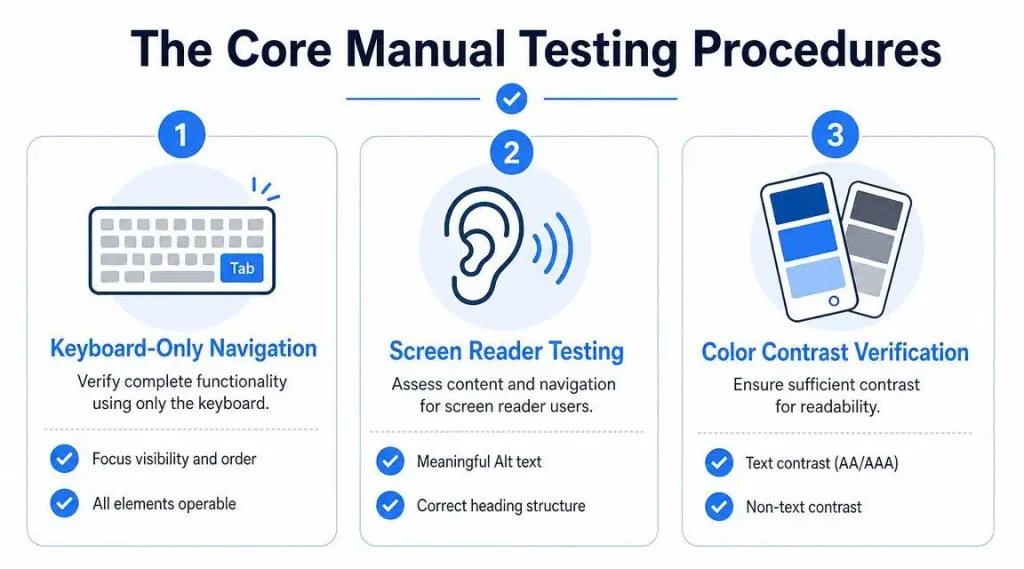
Manual testing answers questions that need a goal and a body of experience. Can a keyboard user finish checkout? Does the screen reader announce the price change? Is this alt text useful for someone who can’t see the chart? An agent can simulate parts of this, but it can’t reliably confirm how NVDA, JAWS, or VoiceOver will behave across browsers. If you want to know which combinations matter, see our guide to screen reader testing combinations.
There’s a second issue. The agents themselves learn from inaccessible interfaces. A November 2026 study of 17.4 million Android interface elements found that only 17.74% of elements needing a label had one in an older training dataset, versus 57.27% in a newer one, with input controls the least labeled (arXiv 2611.16107, via arXivSignals). Agents trained on that history won’t always know what “good” looks like.
So the honest answer: agents shrink the manual workload. They don’t remove it.
Pro tip: Treat a clean agent scan as permission to start manual testing, not permission to ship. The scan removes the obvious errors so your manual pass can focus on the hard ones.
Want to see what your agent is missing on a live page? Run a free Zylyn scan and compare it against what your coding agent reported. Gaps between the two are usually where manual testing should start.
The 20-minute manual pass every developer can run
You don’t need to be an accessibility specialist to catch the issues agents miss. Run this on every new feature before you open the pull request:
- Unplug the mouse. Tab through the whole flow. Can you reach, see, and operate every control? Does focus ever disappear or get stuck?
- Check focus visibility. Watch for sticky headers, chat widgets, or banners covering the focused element.
- Trigger every error. Submit forms empty and with bad data. Is each error clear, linked to its field, and specific about the fix?
- Turn on a screen reader. Use NVDA on Windows or VoiceOver on Mac. Listen to headings, buttons, and status updates. Does what you hear match what you see?
- Zoom to 200% and 400%. Does content reflow without horizontal scrolling or overlapping text?
- Read the alt text out loud. Would it help someone who can’t see the image?
Twenty minutes. That’s it. Here’s a pattern we see often in audits: a team with clean automated reports still has failures in steps 1, 3, and 4, because those are exactly the parts no scanner sees. If you’re new to fixing what you find, our guide on fixing accessibility issues directly in your code walks through common patterns.
How to build a workflow that covers both
The strongest setups layer three kinds of checks, each matched to what it does best.
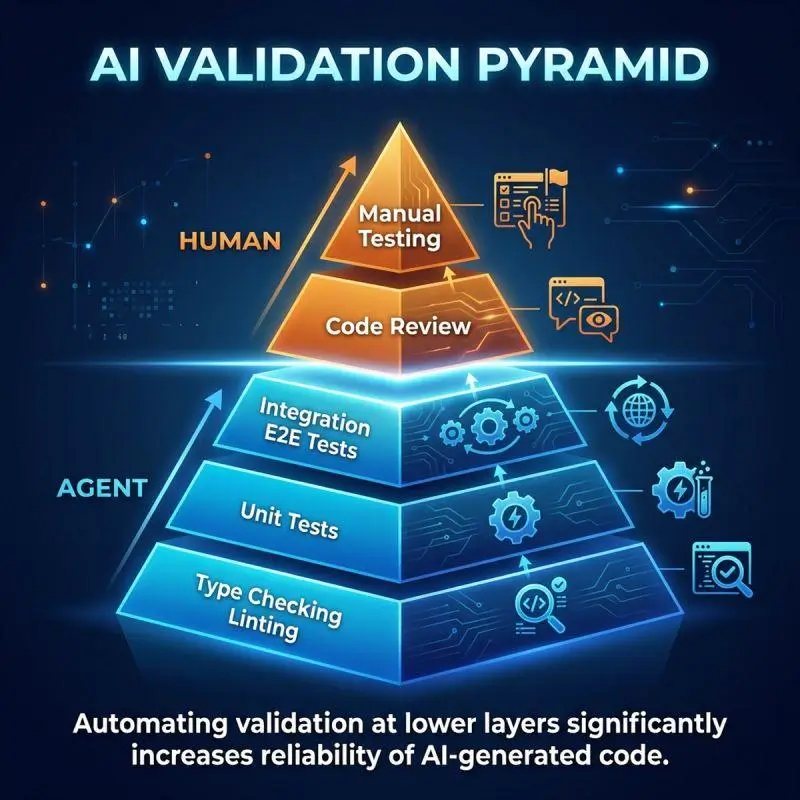
Layer 1: Agent checks on every edit. Connect an accessibility MCP server to your coding agent and make it re-run checks after each UI change. This is your cheapest defense against syntax-level errors.
Layer 2: Automated checks in CI/CD. Add accessibility tests to your pipeline so nothing merges with known violations. This catches what slips past the agent, including changes made by humans.
Layer 3: Manual review and scheduled audits. Run the 20-minute pass per feature, and schedule a full expert audit for key journeys (signup, checkout, account management) at least once or twice a year, or after major redesigns.
Zylyn sits across layers 2 and 3. It monitors your live pages for regressions, explains each issue in plain language, and gives you remediation guidance your team or your agent can act on. When you need a deeper review, our accessibility remediation services cover the manual work.
Common mistakes to avoid
Treating “0 violations” as compliance. A clean scan means no detectable rule failures. It says nothing about criteria the rules can’t test.
Letting the agent fix and verify its own work. If the same agent writes the fix and declares it passing, nobody has checked the result. Keep a human review gate for accessibility changes.
Accepting AI-written alt text without reading it. Generated alt text is often accurate about what’s in the image and wrong about why it’s there. Purpose matters more than description.
Adding ARIA to silence the scanner. Agents sometimes “fix” violations by adding ARIA attributes that pass the rule but break real screen reader behavior. Native HTML elements are almost always the better fix.
Skipping keyboard testing because the agent checked it. Agents can flag missing focusability. They can’t confirm you can finish the task with a keyboard alone.
Never testing with real assistive tech. Screen readers differ. If you’ve never heard your product through NVDA or VoiceOver, you don’t know how it sounds to the people who depend on it.
Frequently asked questions
What is AI accessibility testing? It’s the use of AI models and automated rules to find accessibility issues in websites and apps, increasingly from inside coding agents and CI pipelines.
Can AI replace manual accessibility testing? No. AI catches many code-level errors fast, but humans still need to verify keyboard use, screen reader output, and whether content makes sense.
What percentage of accessibility issues can automated testing find? Deque’s 2021 study found 57% of issues by volume. Coverage by WCAG criteria is much lower, because many criteria need human judgment.
What is an accessibility MCP server? It’s a service that lets an AI coding agent run accessibility scans and get fix guidance through the Model Context Protocol, right inside the editor.
Can AI fix accessibility issues automatically? It can fix many syntax-level issues like missing labels. Fixes involving meaning, sequence, or behavior still need a person to review them.
Can AI test keyboard navigation? Partly. Agents can flag elements that can’t receive focus, but only manual testing confirms that a full task works with a keyboard alone.
Can AI test screen reader compatibility? Not reliably. Screen readers behave differently across browsers, so testing with NVDA, JAWS, or VoiceOver is still necessary.
Is GitHub Copilot useful for accessibility? Yes, as a helper. Connected to an accessibility MCP server, it can scan and fix common issues, but its output still needs human review.
How do I add accessibility testing to CI/CD? Run an automated accessibility checker on your built pages in the pipeline and block merges on new violations. Pair it with manual reviews.
Will AI accessibility tools keep up with WCAG 3.0? WCAG 3.0 is still a draft. Expect tools to adapt, but its more outcome-based approach will likely increase the need for human evaluation.
Conclusion
AI accessibility testing inside coding agents is a real step forward. It catches code-level errors on every edit, shortens feedback loops, and keeps obvious failures out of your pull requests.
But it checks markup, not experience. Keyboard flows, screen reader announcements, error handling, and meaningful alt text still need a person. Layer agent checks, CI checks, and a short manual pass, and you’ll catch far more than any single tool can.
Start small this week. Run the 20-minute manual pass on one feature your agent already marked clean, and see what turns up.
Want a second set of eyes on what your agent marked as passing? Book a free discovery call with Zylyn and we’ll show you where automated results and real-world accessibility diverge on your site.