
Last Updated: October 2026
CPACC tells you the rules. Can your tester actually drive NVDA?
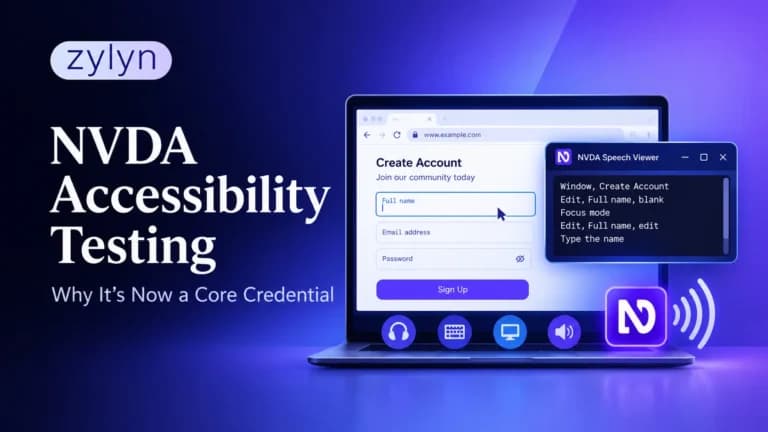
That question is suddenly worth asking out loud. On October 13, 2026, NV Access, the nonprofit behind the free NVDA screen reader, launched a paid training package called Accessibility Testing with NVDA, complete with a WCAG 2.2 reference and a badge testers can display. The same week, IAAP members got a free mobile accessibility course and Microsoft made its own certification exams more accessible. Practical, hands-on skill is getting formal recognition.
This post explains what NVDA accessibility testing actually involves, how it compares to theory-based credentials like CPACC and WAS, and how our own testers run an NVDA pass on client sites. If you hire, manage or train accessibility testers, this is the skill gap to close first.
Key Takeaways
- NV Access now sells a dedicated NVDA testing package with 60+ topics, a WCAG 2.2 testing reference and a badge, which signals that screen reader skill is moving from “nice to have” to a recognized competency.
- CPACC is a 100-question multiple-choice exam on concepts, laws and disability knowledge. It doesn’t test whether someone can operate a screen reader.
- The strongest accessibility testers pair a theory credential with demonstrable hands-on screen reader skill, and the easiest way to prove that skill is a recorded test session.
What changed for screen reader testing skills in October 2026?
Quick answer: In October 2026, NV Access launched “Accessibility Testing with NVDA,” a training package with 60+ topics, a WCAG 2.2 testing reference and a displayable badge. It’s the first time NVDA’s own developers have packaged screen reader testing as a recognized professional skill, not just a tutorial.
The package costs AUD $275 and covers more than 60 topics across nine sections. It includes a printable NVDA command reference for testers, a WCAG 2.2 reference with tips on testing many success criteria using NVDA, and a JPG badge for your website or email signature. NV Access says it’s usable by both sighted testers and screen reader users, and accessibility consultancy Intopia gave feedback on the web components.
Two other moves landed the same week. IAAP members gained access to a free, self-paced mobile app accessibility course, and Microsoft redesigned its certification exam case studies for zoom and magnification users and opened online booking for some approved accommodations. Different organizations, same direction: accessibility education is getting more practical.
To be clear, the NV Access badge isn’t a proctored certification exam. It shows someone completed the training. Still, a badge from the screen reader’s own developer carries weight in a field where hands-on skill has been hard to verify.
Why is NVDA the default screen reader for accessibility testing?
NVDA (NonVisual Desktop Access) is free, open source and runs on Windows, which makes it the easiest professional-grade screen reader for any team to adopt. There’s no license to buy and no trial timer, so every developer and QA tester can have it installed.
It’s also widely used by the people you’re testing for. In WebAIM’s Screen Reader User Survey #11, run in July and August 2026, NVDA was the primary desktop screen reader for 32.9% of respondents, second only to JAWS at 55.0%. Windows was the primary desktop platform for 90.7%.
That doesn’t make NVDA the only screen reader worth testing. The same survey found 91.8% of respondents use a screen reader on mobile, mostly VoiceOver on iOS. A complete test plan covers NVDA, JAWS for key enterprise flows, and VoiceOver and TalkBack on mobile. NVDA is simply where most testers should start.
Is CPACC enough to prove someone can test accessibility?
No, and that’s not a criticism of CPACC. The Certified Professional in Accessibility Core Competencies is designed to test conceptual knowledge. It’s a 100-question multiple-choice exam covering disabilities and assistive technologies, universal design, and laws, standards and management strategies. It’s an excellent foundation, and our founder holds it.
What CPACC can’t show is whether someone knows what a screen reader user actually hears. A tester can correctly answer that a form error must be programmatically associated with its field and still miss that NVDA never announces the error on a live page. Knowing the rule and catching the failure are different skills.
The WAS (Web Accessibility Specialist) credential goes further into WCAG and code, and passing both earns the CPWA. Even so, IAAP’s exams are knowledge-based. That’s exactly why hands-on screen reader skill is getting its own recognition now.
How do accessibility credentials compare for hands-on testing?
Here’s how the main options stack up for someone who needs to prove they can actually test. Fees are as published at the time of writing and can change, so check with each provider.
| Credential or training | Format | What it proves | Hands-on screen reader skill? | Cost (approx.) |
|---|---|---|---|---|
| IAAP CPACC | 100-question multiple-choice exam | Disability, design, law and standards knowledge | Not tested | $385 members / $485 non-members |
| IAAP WAS | Technical exam | WCAG and code-level knowledge | Partly, through knowledge of how code affects AT | $430 members / $530 non-members |
| IAAP CPWA | Awarded for passing CPACC + WAS | Combined conceptual and technical knowledge | Not directly | Combined exam fees |
| NV Access “Accessibility Testing with NVDA” | Self-paced training + badge | Completed structured NVDA testing training | Yes, trained, not proctored | AUD $275 |
| Recorded test session or portfolio | Screen recording with findings | Can find, explain and report real issues | Yes, directly demonstrated | Time only |
The pattern is clear. Exams prove knowledge, training proves exposure, and recorded work proves skill. A strong tester should be able to show all three, and the last one is the easiest to ask for in an interview.
How do our testers run an NVDA accessibility testing pass?
Every manual audit we deliver includes a screen reader pass, and NVDA on Windows with Chrome or Firefox is where we start. We don’t treat it as “listen to the page.” We treat it as a structured script tied to WCAG criteria, so results are repeatable from one tester to the next. Here’s the core of that script.
- Set up for evidence. Turn on NVDA’s Speech Viewer (NVDA menu, Tools, Speech Viewer) so every announcement appears as text. This makes findings easy to screenshot, record and paste into a report.
- Check the page title and landmarks. Press D to jump between landmarks and confirm the page has a banner, navigation, main and footer that make sense.
- Walk the heading structure. Press H to move through headings and NVDA+F7 to open the Elements List. Look for skipped levels, missing headings and visual “headings” that aren’t marked up.
- Tab through every interactive element. Confirm focus order matches the visual order and that each link and button announces a clear name, role and state.
- Test forms in focus mode. Fill fields, submit with errors and confirm NVDA announces labels, required states and error messages without you hunting for them.
- Open and close every dynamic component. Modals, menus, accordions and carousels must move focus correctly, announce their state and return focus when closed.
- Verify images and tables. Press G for graphics and T for tables. Check that alt text adds meaning and that data tables announce headers.
The detail that separates experienced testers from beginners is browse mode versus focus mode. NVDA uses browse mode to read content with single-letter shortcuts, and switches to focus mode (toggle with NVDA+Space) to type into fields. Plenty of “bugs” reported by new testers are just mode confusion, and plenty of real bugs get missed for the same reason.
Need a screen reader pass on your next release? Our manual web accessibility testing covers NVDA, JAWS, VoiceOver and TalkBack, with every finding mapped to a WCAG criterion and a fix your developers can act on.
What should a screen-recorded NVDA demo show?
A short screen recording is the fastest way to prove NVDA skill, whether you’re a tester building a portfolio or a team lead showing stakeholders why accessibility matters. Keep it under two minutes and let the Speech Viewer do the talking.
Start with a real task, not a tour. “Sign up for the newsletter” or “add a product to the cart” works well because the viewer understands the goal immediately. Show the task succeeding on an accessible component, then show the same task failing somewhere else, such as an error message NVDA never reads.
Finish by naming the WCAG criterion and the fix. That last ten seconds is what turns a cool demo into evidence of professional skill. It’s also the format we use internally to train new testers and to show clients exactly what their users experience.
What should you look for when hiring an accessibility tester?
Look for evidence of skill, not just letters after a name. Ask candidates to share a recorded screen reader session or to run a ten-minute live test on a page you choose. You’ll learn more in that ten minutes than from any résumé.
Listen for how they explain what they hear. A strong tester says, “The error text appears visually but isn’t associated with the field, so NVDA doesn’t announce it, which fails 3.3.1,” not just “the form is broken.” That ability to connect behavior to a criterion and a fix is what makes their reports useful to developers.
Credentials still matter. CPACC shows a candidate understands disability and the legal landscape, and WAS shows technical depth. The best hires, and the best internal training programs, build both. Our accessibility training for product teams breaks down which skills each role actually needs.
What are the most common mistakes in NVDA accessibility testing?
Testing with the mouse. Screen reader users navigate by keyboard. If you click into a field with the mouse, you skip the exact path where focus bugs live.
Ignoring browse and focus modes. Many false bugs come from typing in browse mode, and many real bugs get missed because testers don’t notice a widget forcing the wrong mode.
Only listening, never recording. Without Speech Viewer logs or a recording, findings turn into “it sounded weird.” Capture the exact announcement so developers can reproduce it.
Testing one browser only. NVDA behaves differently across Chrome, Firefox and Edge. Test your highest-traffic browser at minimum, and note which one you used in every finding.
Treating NVDA as a stand-in for every user. NVDA doesn’t tell you how VoiceOver on iPhone will behave. Mobile screen readers need their own pass.
Skipping automation entirely. Manual testing is slow if you use it to find missing alt text. Run an automated scan first, then spend your NVDA time on the issues automation can’t judge, as we explain in automated vs manual accessibility testing.
Frequently Asked Questions
What is NVDA accessibility testing?
It’s manual testing of websites, apps or documents with the free NVDA screen reader to confirm content is announced and operable for blind and low-vision users.
Is NVDA free for accessibility testing?
Yes. NVDA is free and open source for Windows. NV Access sells optional training, including the new Accessibility Testing with NVDA package.
Is the NV Access NVDA badge a certification?
It’s a training badge, not a proctored exam. It shows you completed NV Access’s structured NVDA testing training, which is still useful evidence of skill.
Does CPACC include hands-on screen reader testing?
No. CPACC is a 100-question multiple-choice exam on disability, design and law concepts. It doesn’t test operating a screen reader.
Should accessibility testers use NVDA or JAWS?
Start with NVDA because it’s free and widely used. Add JAWS for enterprise and high-risk flows, since it’s still the most-used desktop screen reader.
What is the difference between browse mode and focus mode in NVDA?
Browse mode reads content and uses single-letter shortcuts. Focus mode sends keys to form fields and widgets. Toggle between them with NVDA+Space.
How long does an NVDA test of a web page take?
A focused pass on one template or user flow often takes 20 to 60 minutes, depending on forms and dynamic components.
Can automated tools replace NVDA testing?
No. Automated tools catch issues like missing labels and contrast, but only a screen reader shows what users actually hear and whether tasks succeed.
Which browser should I use for NVDA testing?
Chrome and Firefox are the most common pairings. Test the browser your users use most, and record which browser each finding came from.
How can I prove my screen reader testing skills to employers?
Pair a credential like CPACC with training such as NV Access’s package, then share a short recorded NVDA test session with findings.
So which matters more, the certificate or the skill?
Both, but the market is finally rewarding the second one. CPACC and WAS prove you know the rules. NVDA accessibility testing proves you can find where a real product breaks them, and October 2026 made that skill more visible and easier to verify than ever.
If you’re building a team, ask every tester to show their work with a screen reader, not just their certificates. If you’re a tester, record your next NVDA session and add it to your portfolio. And if your organization needs that skill now, we can train your team or run the testing for you.
Want your team testing with NVDA like professionals? Explore Zylyn accessibility training or book a 30-minute call with our team to plan hands-on screen reader training for your developers, designers and QA testers.