


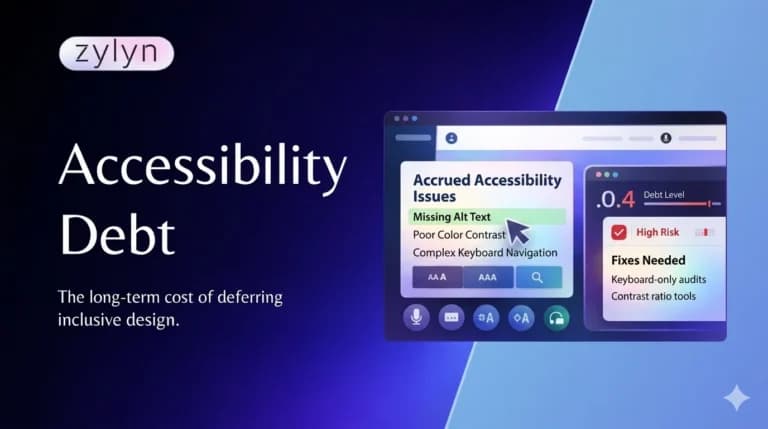
Every engineering team understands technical debt. That accumulated pile of shortcuts, quick fixes, and “we’ll refactor this later” decisions that make the codebase harder to work with. It slows teams down, multiplies across environments, and eventually costs far more to clean up than it would have cost to do it right the first time.
Accessibility debt works exactly the same way.
But here’s what makes accessibility debt worse than technical debt: it’s invisible to most of your organization. You can measure lines of code. You can identify dead functions. You can measure technical debt.
Accessibility debt? It hides in plain sight. It accumulates silently. It only becomes visible when someone files a lawsuit, a customer complains, or a regulatory deadline forces your hand.
By that time, it’s become expensive.
What Is Accessibility Debt ?
Accessibility debt is the accumulated cost of accessibility decisions that are deferred, overlooked, or intentionally deprioritized across a website’s design, code, content, and workflows.
Like financial debt, it accrues interest. The longer it sits, the more expensive it becomes.
Every inaccessible component you ship adds to this debt. Every time you say “we’ll add alt text later,” you’re borrowing against your future budget. Every missed opportunity to build accessible design systems, instead of patching accessibility issues after the fact, compounds the problem.
Here’s why it matters: 96% of websites have detectable accessibility failures. That means your site likely has accessibility debt already—the question is how much, and when it comes due.
How Accessibility Debt Accumulates ?
Accessibility debt builds in three main ways:
1. The Deadline Rush
“We need to ship in two weeks. Accessibility can wait.”
A tight deadline means corners get cut. Skip the accessibility audit. Don’t train developers on WCAG. Ship first, fix later.
Later never comes.
Instead, new deadlines arrive. New features launch. New inaccessible components are added. Each new launch adds more debt without paying down the original balance.
2. The Feature Creep
Your site started with 50 pages. Now it’s 500. Each new page, each new feature, each new integration introduces accessibility barriers. Some are documented, some aren’t. Some developers even know about them. Many don’t.
The surface area of your accessibility debt just keeps growing.
3. The Knowledge Debt
You hired a developer who doesn’t know WCAG. You didn’t budget for accessibility training. Your CMS doesn’t enforce accessible content creation. Your content team publishes without alt text.
Every person on your team who doesn’t understand accessibility is a debt-generation machine.
The Cost: Why Retrofitting Is 6-10x More Expensive?
Here’s where accessibility debt becomes a financial problem.
Accessibility built into initial design: Marginal additional cost (roughly 0.5% of development cost, research shows)
Accessibility retrofitted after launch: 6-10x the cost of building it in from the start
Why the massive difference?
Building in accessibility from the start:
- Developers build accessible components once
- Design system includes accessibility from the foundation
- Testing is integrated into normal QA cycles
- Costs are predictable and incremental
Retrofitting accessibility after launch:
- Audit all existing code (expensive)
- Fix issues across hundreds or thousands of pages
- Re-architect components and design systems
- Re-test everything multiple times
- Update documentation and training
- Rework existing workflows and processes
- Handle edge cases that weren’t considered
One research study found that fixing accessibility issues in the testing phase costs 30 times as much compared to building accessible code from the start.
Another: 67% cost reduction when teams build accessibility in from the beginning versus retrofitting afterward.
Table 1: The Real Cost of Accessibility Debt
| Scenario | Phase | Total Cost | Cost per Fix |
| Proactive (Built-in) | Design + Dev + QA | $50K-$150K | $100-300/issue |
| Reactive (Retrofit) | Post-launch + legal | $300K-$1.5M | $600-3000/issue |
| ROI for Each Dollar Spent on Prevention | — | ~$100 saved | 9,924% ROI |
The math is brutal. Not starting accessibility work is not saving money. It’s deferring costs to a time when they’re 10x more expensive.
The Compound Interest: How Debt Multiplies?
Like financial debt, accessibility debt doesn’t stay static. It compounds.
Year 1: You ship an inaccessible website. You have 1,000 accessibility issues across 50 pages.
Year 2: You add 100 new pages. Each new page follows the same inaccessible patterns as the original site. Your accessibility debt is now 2,000 issues across 150 pages. The problem isn’t linear—it’s exponential.
Year 3: Your codebase is tangled. Fixing one issue requires understanding interconnected systems. Your technical debt makes accessibility remediation even harder. You now have 3,000 issues, and they’re more complex to fix.
Year 4: A lawsuit arrives. Or a regulatory deadline. Or a major customer demands compliance. Now you’re trying to fix 3,000 issues under time pressure with limited budget.
The cost you should have paid in Year 1 ($50K) has become the cost you must pay in Year 4 ($500K).
The “interest” on your accessibility debt multiplied your original cost by 10x, and compressed the timeline.
Why This Matters to Your Bottom Line?
Accessibility debt isn’t just a legal risk (though it is). It impacts three core business functions:
1. Revenue Loss
1.3 billion people globally live with disabilities. That’s 61 million in the U.S. alone. They represent $490 billion in disposable income in the United States.
An inaccessible website tells these customers: “We don’t want your business.”
Competitors who are accessible capture that revenue. You don’t.
That’s not a compliance cost. That’s a business development cost.
2. Support Burden
When users with disabilities can’t use your site, they call support. A lot. Organizations that retrofitted accessibility report a 40% reduction in support calls after addressing accessibility issues—and those savings improve overall support efficiency because accessible sites are easier for everyone to use.
Proactive accessibility reduces support cost. Reactive accessibility starts only after your support team is overwhelmed.
3. Team Velocity
Accessibility debt slows down your engineering team. New developers have to work around inaccessible components. Testing takes longer because accessibility isn’t integrated into normal QA. Every sprint carries a hidden cost of managing debt that should have been prevented.
Teams building accessibility from the start move faster because they’re not constantly working around obstacles.
The Specific Barriers: Where Accessibility Debt Accumulates?
Accessibility debt tends to follow predictable patterns. These are the most common sources:
Missing Alt Text
Every image without alt text is an accessibility barrier. If you have 1,000 images and 80% lack alt text, you have 800 accessibility issues. Fixing them is straightforward but time-consuming.
Poor Color Contrast
Using color combinations that fail WCAG contrast requirements. Your designer liked the purple on light gray. Looks great. Unreadable for people with low vision. Now you need to redesign every page that uses that color scheme.
Non-Keyboard Navigation
Some features only work with a mouse. Keyboard-only users and people with mobility impairments can’t access them. Retrofitting this requires architectural changes, not just CSS tweaks.
Inaccessible Forms
Forms without proper labels, missing error messages, unclear instructions. Each form is a separate issue. A site with 50 forms is 50 separate remediation problems.
Unlabeled Buttons and Links
A button that says “Click here” instead of “Download PDF Report.” A link that says “More” instead of describing what you’re linking to. Screen reader users have no context.
Vendor Lock-in
You’re using a third-party plugin, SaaS tool, or CMS that wasn’t built with accessibility in mind. You can’t modify it. You’re stuck with its accessibility barriers.
This is when accessibility debt becomes a procurement problem, not just an engineering problem.
Measuring Your Accessibility Debt
You can’t manage debt you don’t measure. Here’s how to quantify your accessibility debt:
Step 1: Automated Scanning
Run comprehensive accessibility scans across your entire digital property. Tools like axe, WAVE, or Lighthouse can detect 30-40% of issues automatically:
- Missing alt text
- Contrast failures
- Empty links
- Form label problems
- Heading structure issues
Step 2: Categorize by Severity
Not all issues are equal. Categorize by impact:
- Critical : Users cannot complete essential tasks (e.g., can’t fill out a form, can’t navigate to critical content)
- High : Significant accessibility gaps (e.g., important content with no alt text, poor contrast on primary navigation)
- Medium : Inconvenience but not a complete block
- Low : Nice-to-have improvements
Step 3: Estimate Remediation Cost
For each issue category, estimate:
- How many instances (e.g., 500 images without alt text)
- Time to fix each (e.g., 2 minutes per image)
- Total cost (e.g., 500 × 2 min = 1,000 hours)
Table 2: Sample Accessibility Debt Inventory
| Issue Type | Count | Severity | Hours to Fix | Cost @ $100/hr |
| Missing alt text | 400 | High | 80 | $8,000 |
| Poor contrast | 150 | High | 60 | $6,000 |
| Form label issues | 25 | Critical | 50 | $5,000 |
| Keyboard navigation | 10 | Critical | 120 | $12,000 |
| Heading hierarchy | 200 | Medium | 40 | $4,000 |
| Total | 785 | — | 350 | $35,000 |
Now you know your debt. You can communicate it to leadership. You can plan paydown.
Paying Down Your Debt: Three Strategies
Once you understand how much accessibility debt you have, you can choose a paydown strategy that fits your organization.
Strategy 1: Percentage Allocation
Reserve a fixed percentage of each sprint for accessibility work—10%, 20%, whatever your organization can sustain.
Pros: Predictable, sustainable, normalizes accessibility as ongoing work
Cons: Progress may feel slow; hard to tackle large issues
Best for: Organizations with moderate debt and steady engineering capacity
Strategy 2: Dedicated Sprints
Periodically dedicate entire sprints to accessibility remediation. One sprint per quarter, or a focused “accessibility month.”
Pros: Can tackle larger issues; creates focused energy
Cons: Disrupts feature delivery; can feel like “special projects”
Best for: Organizations with high debt and a deadline (like a legal mandate or compliance requirement)
Strategy 3: Embedded Accessibility
Make accessibility part of every sprint, every PR review, every design decision. Not a separate “accessibility team” effort, but a shared responsibility.
Pros: Prevents new debt while paying down old debt; normalizes accessibility; long-term sustainable
Cons: Requires cultural change and training
Best for: Organizations serious about sustainable accessibility
The Four Critical Rules to Prevent Accessibility Debt Going Forward
If you’re paying down existing accessibility debt, you also need to prevent new debt from accumulating. Otherwise, you’re bailing water out of a boat with a hole in the bottom.
Rule 1: Build Accessibility Into Design Systems
Create accessible component libraries and design tokens. When designers and developers use pre-built, accessible components, they can’t create inaccessible interfaces.
Rule 2: Train Your Team
Every engineer, designer, product manager, and content creator needs basic WCAG literacy. You can’t delegate accessibility to a specialist team. Everyone creates barriers or prevents them.
Rule 3: Integrate Accessibility Into QA
Don’t test accessibility after launch. Test it in every sprint, every staging environment, every code review. Automated testing + manual validation = fewer issues shipped.
Rule 4: Make Accessibility a Procurement Requirement
When you evaluate new tools, SaaS platforms, or vendors, accessibility is a must-have, not a nice-to-have. Vendor lock-in is the fastest way to accumulate new accessibility debt.
Accessibility Debt Cost Comparison: When Issues Are Fixed?
The earlier you fix accessibility barriers, the less they cost. This table shows the dramatic cost difference:
| When Fixed | Cost Per Barrier | Timeline | Example |
| During design review | $100 | <1 hour | Designer catches color contrast issue, fixes it |
| During code review | $200 | <2 hours | Developer catches missing form label, adds it |
| During QA testing | $500 | 2-4 hours | QA finds keyboard trap, reports to development |
| During user testing | $2,000 | 1-2 days | User tests find screen reader incompatibility, requires redesign |
| After launch (production) | $5,000-$15,000 | 1-2 weeks | Production issue requires code rollback, redesign, redeployment |
| In litigation | $50,000-$300,000+ | Months | Legal fees, settlement, reputational damage |
Building accessibility in prevents debt. Deferring accessibility creates exponentially higher costs.
FAQ: Questions About Accessibility Debt
Q: How do we know if we have accessibility debt?
Run an audit. Count your WCAG failures. Estimate remediation cost (roughly $500-$2,000 per barrier to fix). That’s your debt. WebAIM finds 56.8 errors per homepage on average.
Q: Can we ignore accessibility debt if it’s old technology we’re sunseting?
Not recommended. Litigation doesn’t wait for sunseting. If users can’t access it now, it’s exposed. Better to fix or formally retire systems.
Q: What’s the difference between accessibility debt and technical debt?
Technical debt = shortcuts in code that create future maintenance cost. Accessibility debt = deferred accessibility work that compounds in cost. Both need to be managed proactively.
Q: Should we fix all accessibility debt at once or gradually?
Gradually. Prioritize critical barriers first (prevent access entirely). Then high-impact issues (affect large user groups). Then smaller improvements. Staged paydown is realistic.
Q: How do we prevent new accessibility debt from accumulating?
Integrate accessibility into your workflow: design standards, development standards, QA procedures, training, code review, procurement. Make it how you work, not an afterthought.
Q: If we’ve been ignoring accessibility for years, is it too late to fix?
Never too late. Your debt is documented. You know what to fix. Start paying it down now. Every barrier fixed removes risk and improves user experience.
Q: Do we need to fix everything to be compliant?
No. WCAG 2.1 Level AA compliance means no major barriers and high conformance rate (typically 90%+). Some minor issues may remain. Focus on critical and high-impact barriers first.
Your Next Step: Measure Your Accessibility Debt
You can’t pay down debt you don’t understand. Run Zylyn’s Free Accessibility Audit to measure your current accessibility debt across your entire website.
30-90 seconds. No credit card. No signup. Just honest diagnostics so you can understand what you’re dealing with.
Because every day you delay, your accessibility debt is compounding.